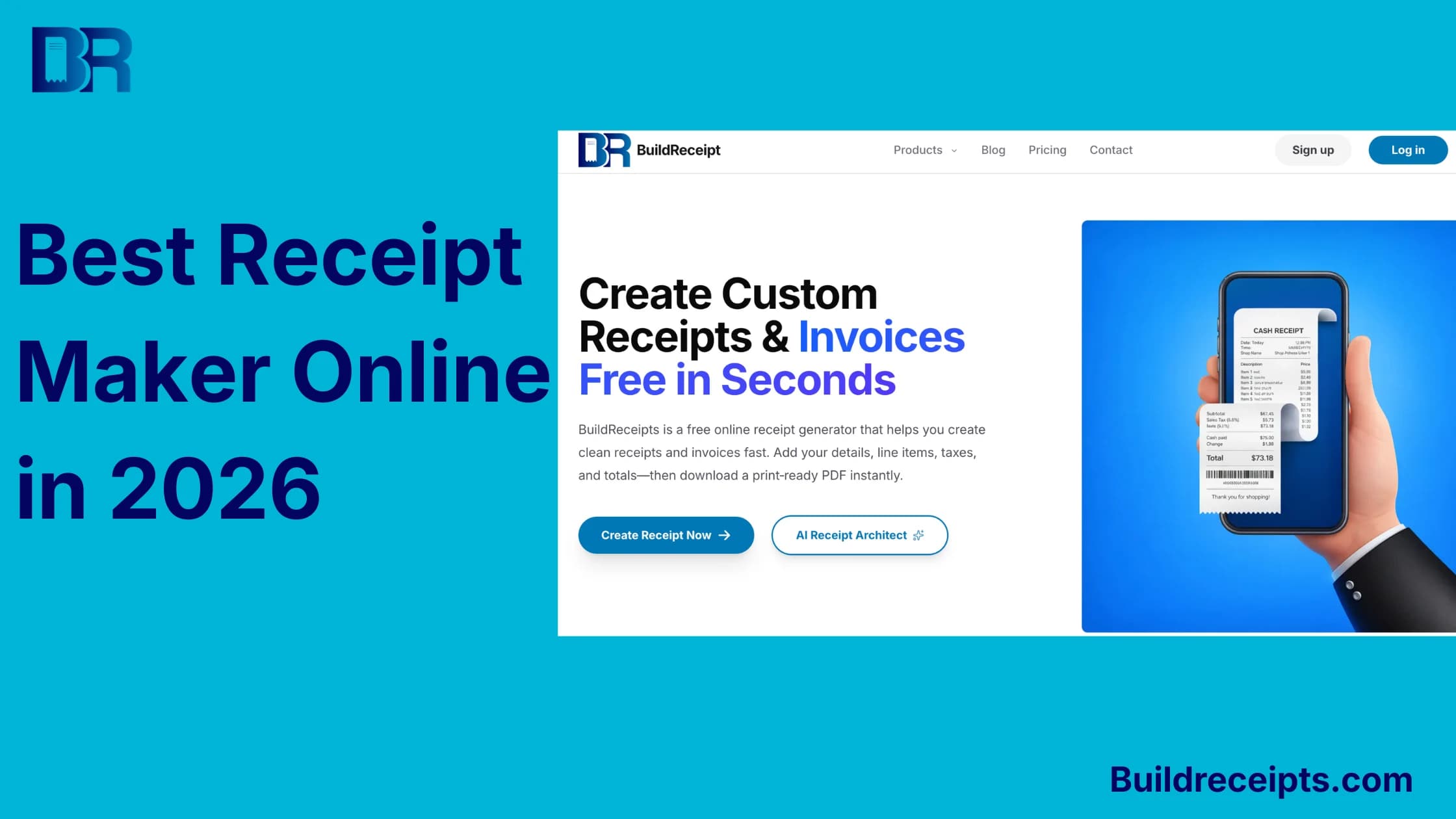
Best Receipt Maker Online in 2026: Honest Comparison

Rober brooks
Content Writer
Jump to Section
Finding the best receipt maker online is not as simple as picking the first free tool in Google.
Some receipt makers are fast PDF generators. Some are receipt builders with store-style templates. Some are invoice apps that also make receipts. A few tools are better for business records, while others are better for mockups or one-time downloads.
If you need a receipt today, the right tool depends on what you are trying to create: a simple payment receipt, an itemized receipt, a store-style receipt, a customer receipt, or a cleaner record for a real transaction.
This guide keeps the choice simple: what each tool is good at, what it costs, where it may slow you down, and which one fits your receipt job.
What is the best receipt maker online?
The best receipt maker online is the tool that matches your receipt job.
For quick receipt creation, store-style templates, itemized receipts, and simple downloads, BuildReceipts is the easiest starting point. It is focused on receipts, so you do not have to open a full accounting system just to make one clean document.
For business owners who also need invoices, customer records, payment links, and reports, tools like Zoho Invoice, Wave, or Invoice Simple may be a better fit.
For design-heavy receipts, Invoice Home and template galleries can work well. They are useful when the receipt needs to look polished, but they may feel slower if you need a very specific receipt type.
What matters when choosing a receipt maker?
A receipt maker should help you finish the job without turning a small task into a software project.
Template count matters, but it is not the whole decision. A tool with hundreds of designs can still be the wrong choice if it cannot handle line items, tax, discounts, or a clean PDF export.
Price matters too, but only after the receipt fits your use case. A quick one-time receipt needs a different tool than a business that makes receipts every week.
Before choosing, check a few practical things: watermarks, saved receipt history, export format, privacy, country limits, and whether the tool is made for receipts or full invoicing.
How to compare the tools?
We looked at each tool from the point of view of someone who needs a receipt quickly and does not want confusion.
The comparison uses these criteria:
| Criteria | Why it matters |
| Speed | A receipt maker should not require a long setup for one receipt. |
| Receipt detail | It should handle line items, tax, discounts, totals, notes, and payment method. |
| Template fit | A generic receipt is not always enough for retail, hotel, taxi, restaurant, or reimbursement records. |
| Export options | PDF is best for records. PNG or JPG can help for quick sharing. |
| Saved history | Some users want a one-time download. Others need old receipts later. |
| Price clarity | Free tools are helpful, but watermarks and limits matter. |
| Safe use | A receipt maker should support real records, not fake proof. |
Prices and public feature claims were checked on June 19, 2026. Prices can change, so check the official page before paying.
Quick comparison table
| Tool | Best for | Price note | Best fit note |
| BuildReceipts | Fast receipt creation, itemized receipts, store-style receipt formats | Use the current BuildReceipts site for access details | Best when you want receipt creation without a big business dashboard |
| MakeMyReceipt | Receipt layouts and section-level customization | Basic use is free; public Pro price not shown | Good for visual control and template editing |
| MakeReceipt | Traditional custom receipts and member output | Free trial; public membership price not shown | Good for older-style receipt templates |
| Invoice Simple | Receipts plus invoices, estimates, clients, and items | $6.99, $14.99, or $21.99 per month | Good when receipts are part of invoicing |
| Wave | Small business invoicing and bookkeeping | Pro is $19 per month or $190 per year | Good for US small-business finance workflows |
| Zoho Invoice | Invoicing system and receipt generator | Zoho Invoice has a free plan | Good for users who want receipts inside invoicing software |
| Invoice Home | Template design variety | Unlimited plan is $5 per month | Good for polished receipt templates |
| Billdu | Invoice maker with payment receipts | Lite starts at $7.99 monthly or $4.99 monthly on annual billing | Good for mobile invoicing and receipts |
| Jotform | Receipt PDF templates and form-to-PDF workflows | Starter plan available; paid plan needed to remove branding | Good for form-based receipt automation |
| FreeInvoiceBuilder | Simple free receipt template | Free receipt template page | Good for one basic receipt without a full account setup |
1. BuildReceipts
BuildReceipts is best when you want a focused receipt maker instead of a full business software dashboard.
It works well for freelancers, small sellers, students, families, reimbursement records, replacement-style records for real transactions, and people who need a receipt PDF without building the layout from scratch.
The main advantage is that the tool is organized by receipt type. The receipt tools page includes options for stores, restaurants, fast food, hotels, parking, taxi, gas, invoice-style receipts, and more.
That helps because not every receipt should look the same. A hotel receipt needs different details than a restaurant receipt. A parking receipt does not need the same layout as a product receipt. A clean itemized receipt is better when you need line items, tax, discounts, and totals to be easy to review.
Pros
| Pros | Why it helps |
| Focused on receipts | You do not have to learn invoicing or accounting software just to make one receipt. |
| Many receipt categories | Store, travel, restaurant, itemized, and other formats are easier to match. |
| Simple workflow | Choose a format, add details, check totals, and download. |
| Good for real record cleanup | Helpful when you already have real transaction details and need a cleaner file. |
How to make a receipt with BuildReceipts in 4 steps
Use BuildReceipts when you already know the real transaction details.
Step 1: choose the right receipt type
Open the main receipt generator or browse the tool categories if you need a specific format. Choose the receipt style that fits the transaction, such as itemized, restaurant, hotel, parking, taxi, gas, or store-style.
Step 2: add the real transaction details
Enter the seller name, date, receipt number, items or services, quantity, price, tax, discount, total, and payment method. If the receipt is for a business record, add a short note that explains the purpose.
Step 3: review the receipt before download
Check spelling, totals, dates, and payment method. A receipt with the wrong date or total creates more confusion later.
Step 4: save the PDF with backup proof
Save the PDF with any supporting proof you already have. That could be an email confirmation, bank statement, order history, or internal note. If the original receipt is missing, read the lost receipt guide before rebuilding the record.
2. MakeMyReceipt
MakeMyReceipt is one of the better-known tools for receipt layouts.
Its homepage says users can pick a template, customize details, and export as PNG, PDF, or JPEG. It also highlights no signup, auto totals, custom fonts, barcodes, QR codes, and more than 150 templates.
The page also says receipt data is saved locally in the browser and not stored on its servers. That is a useful privacy point if your receipt includes names, addresses, or payment notes.
Pros
| Pros | Why it helps |
| Strong template and layout control | Useful when the receipt needs a specific visual style. |
| PNG, PDF, and JPEG exports | Helpful when you need both a saved file and a shareable image. |
Cons
| Cons | What to know |
| Pro pricing is not fully clear from the public page | The homepage says Pro adds watermark-free exports and saved receipts, but the accessible copy does not show a clear price. |
| Browser-local storage has limits | Local storage can be good for privacy, but users should still download and back up important receipts. |
| Not a full accounting workflow | It is built around receipt creation, not bookkeeping, tax categories, client ledgers, or business reports. |
| Realistic templates can be sensitive | Use it only for legitimate records, mockups, expense tracking, or bookkeeping. |
3. MakeReceipt
MakeReceipt is a long-running online receipt maker with many traditional receipt formats.
Its public page says it supports cafe, restaurant, retail, gas, taxi, pharmacy, itemized receipts, multiple currencies, custom text, signature lines, tax, tip, and subtotals.
It also describes itself as a try-before-you-buy system. Users can try receipt styles for free, while membership removes the watermark.
Pros
| Pros | Why it helps |
| Many receipt styles | Good for common retail, travel, restaurant, and itemized layouts. |
| Free testing | You can preview output before paying. |
Cons
| Cons | What to know |
| Watermark can be a blocker | If you need a clean final receipt, membership may be required. |
| Public price clarity is limited | The accessible public page mentions Standard, Pro, and Enterprise membership, but not exact pricing. |
| Less polished than newer tools | The tool is practical, but the experience can feel older compared with modern receipt builders. |
| Not ideal for ongoing business records | It is better for making receipts than managing clients, repeat sales, expense categories, or reports. |
4. Invoice Simple
Invoice Simple is better for users who need more than one receipt.
Its receipt maker supports business details, customer details, line items, tax, discount, currency, notes, signatures, photos, PDF download, email sending, and saved history. It also says receipts can be changed to invoices with a single click.
That makes it useful for repeat customers and small business paperwork.
Pros
| Pros | Why it helps |
| Saves clients and items | Useful if you create documents often. |
| Receipt-to-invoice workflow | Helpful when paperwork changes from paid receipt to invoice. |
Cons
| Cons | What to know |
| Paid plans are based on document volume | If you only need one receipt, a simpler tool may be faster. |
| More business-app feel | It is not only a receipt maker. |
| Lowest monthly plan is limited | The entry monthly plan is not a good fit if you create many documents. |
| Less useful for store-style receipts | It works best for clean business receipts, not highly specific retail, hotel, gas, or restaurant layouts. |
Price
Invoice Simple lists monthly plans at $6.99, $14.99, and $21.99, with annual options also shown. The lowest monthly plan is limited to up to 3 invoices per month, while higher tiers raise or remove that limit.
5. Wave
Wave is best when receipts are part of a broader small-business workflow.
Its receipt maker page describes a free receipt generator, line items, tax, receipt number, date, notes, and a step-by-step receipt workflow. It also connects users to Wave's invoicing, payments, bookkeeping, and receipt tracking tools.
One important detail: Wave's receipt generator page says the tool is available for US residents only.
Pros
| Pros | Why it helps |
| Strong business system | Invoices, estimates, payments, and bookkeeping live together. |
| Pro includes receipt capture and expense tracking | Helpful when you want more than receipt generation. |
Cons
| Cons | What to know |
| Not ideal for one quick receipt | Setup may feel heavier than needed. |
| Region limitation | The receipt generator page says it is currently for US residents. |
| Payment fees apply | Online payments have processing fees. |
| More than many receipt users need | If you only want a quick PDF, the wider accounting workflow can feel slow. |
Price
Wave lists its Pro plan at $19 per month or $190 per year. Payment processing fees are shown separately.
6. Zoho Invoice
Zoho Invoice is a strong option if you want a no-cost business invoicing system with receipt tools.
Zoho's receipt generator lets users choose formats, add a logo, enter business and buyer details, add item details, and download or print the receipt. Its page says users can save online through Zoho Invoice, but the standalone receipt generator does not offer cloud storage for past generated receipts.
That distinction matters. The free generator is quick. The full Zoho Invoice product is better for saved business workflows.
Pros
| Pros | Why it helps |
| Free Zoho Invoice product | Zoho lists Invoice as a no-cost invoicing solution. |
| Strong business features | Invoices, quotes, recurring invoices, expenses, projects, and customer portal. |
Cons
| Cons | What to know |
| Standalone generator does not store receipts | You need Zoho Invoice for saved online records. |
| More setup than a simple receipt maker | It may be overkill for one receipt. |
| Receipt creation is part of a bigger suite | That is helpful for businesses, but less direct for one-time receipt users. |
| Template style is business-first | It is not the best match when you need store-style, travel, food, parking, or gas receipt formats. |
Price
Zoho Invoice is listed as a free invoicing product. If your business later needs advanced billing beyond Zoho Invoice, Zoho may point users toward other Zoho products.
7. Invoice Home
Invoice Home is best for users who care about template design.
Its receipt template page highlights more than 100 receipt templates, PDF download, email, print, saved business/customer/product information, mobile apps, and online payment options.
It is a good fit if you want the receipt to look polished and you prefer a template gallery.
Pros
| Pros | Why it helps |
| 100+ receipt templates | Good for design variety. |
| PDF, email, and print | Useful for customer delivery. |
Cons
| Cons | What to know |
| Template-first workflow | It may be slower for specific receipt categories like hotel, parking, or store-style records. |
| Less focused on realistic store formats | Better for polished business receipts than matching a specific receipt style. |
| Account workflow may be more than needed | Users who want one quick receipt may not need saved customers, products, and email features. |
| Best value depends on repeat use | The paid plan makes more sense if you create documents often, not just once. |
Price
Invoice Home's public Unlimited Plan signup page lists $5 per month in USD with unlimited emails, customers, and documents.
8. Billdu
Billdu is better for people who want receipts inside a mobile invoicing system.
Its pricing page lists invoices, estimates, expense tracking, client signatures, invoice status tracking, payment reminders, payment receipts, recurring invoices, team members, and API access across different plans.
That makes Billdu useful for small service businesses. It is less direct if your only goal is to create one receipt PDF quickly.
Pros
| Pros | Why it helps |
| Good mobile business workflow | Useful for contractors, freelancers, and service sellers who work from a phone. |
| Payment receipts on higher plans | Helpful when receipts are part of invoicing and payment tracking. |
Cons
| Cons | What to know |
| Payment receipts are not on the Lite plan | The public comparison table shows payment receipts starting above Lite. |
| Client limits apply on lower plans | Lite shows 10 clients and Standard shows 50 clients before Premium. |
| More invoicing than receipt making | It is built as an invoice maker, so a one-time receipt can feel like a bigger workflow. |
| Paid plan choice needs care | Monthly and annual prices differ, and the best value depends on how long you plan to use it. |
Price
Billdu lists Lite at $7.99 monthly, or $4.99 monthly when billed annually. Standard and Premium cost more, and the page says annual prices are average monthly prices when buying an annual subscription.
9. Jotform
Jotform is different from a normal receipt maker.
It is strongest when you want a form submission to turn into a PDF receipt. Its receipt template page lists 59 receipt templates and explains that users can match an online form with a PDF receipt template, then email, print, download, or save the receipt.
That is useful for donations, rent, field services, deposits, bookings, and businesses that collect information before generating the receipt.
Pros
| Pros | Why it helps |
| Strong form-to-PDF workflow | Good when customers or staff submit details through a form first. |
| Many receipt templates | Useful for payments, donations, rent, payroll, taxi, and service receipts. |
Cons
| Cons | What to know |
| Not the fastest one-off receipt maker | You may need to choose or set up a form before the receipt workflow feels smooth. |
| Starter plan includes branding | Jotform says Starter forms and signed documents include Jotform branding. |
| Paid pricing is tier-based | The public pricing page names Starter, Bronze, Silver, Gold, and Enterprise, but users should check current checkout pricing. |
| Can feel too broad | Jotform is a form platform, so users who only want a simple receipt may see more features than they need. |
Price
Jotform lists a Starter plan and paid Bronze, Silver, Gold, and Enterprise plans. Its pricing FAQ says users need a paid subscription to remove Jotform branding from forms and signed documents.
10. FreeInvoiceBuilder
FreeInvoiceBuilder is best for a simple receipt template when you do not want a full business platform.
It is a practical option for users who search for a free receipt template online and only need a basic document. The tradeoff is that simpler tools usually have fewer saved-history, account, reporting, or receipt-category features.
Pros
| Pros | Why it helps |
| Simple receipt template approach | Good when you need a basic receipt without learning a larger app. |
| Low-friction starting point | Useful for users who want to create a simple document quickly. |
Cons
| Cons | What to know |
| Less built for store-style receipt formats | It may not match hotel, parking, gas, food, or retail receipt layouts as closely as a dedicated receipt tool. |
| Limited business workflow | It is not meant to replace invoicing, bookkeeping, saved customers, or reporting tools. |
| Fewer advanced receipt controls | Users who need custom sections, barcodes, QR codes, or realistic templates may need another tool. |
| Better for simple receipts only | If the receipt needs detailed line items, tax, discount, notes, and backup records, check the output carefully. |
Price
FreeInvoiceBuilder has a free receipt template page. Check the current page before using it for business records because template features can change.
Best choice by use case
Here is the short version if you do not want to compare every tool one by one.
| Use case | Best fit |
| Quick receipt PDF | BuildReceipts |
| Itemized receipt | BuildReceipts, then Zoho Invoice |
| Store-style receipt | BuildReceipts, then MakeMyReceipt or MakeReceipt |
| Simple receipt template | BuildReceipts, then FreeInvoiceBuilder |
| Design-heavy receipt | BuildReceipts, then Invoice Home or Jotform |
| Full invoicing workflow | BuildReceipts for receipts, then Zoho Invoice, Wave, Invoice Simple, or Billdu |
| Lost receipt or replacement-style record | BuildReceipts with real backup proof |
If you are still unsure what belongs on a receipt, start with this plain-English guide on how to make a receipt. It explains the fields before you choose a tool.
What to check before choosing?
The best tool is the one that fits the receipt, not the one with the longest feature list.
Before you spend time building a receipt, check four things: does it export as a PDF, does it add a watermark, does it handle line items and tax, and can you save the final file safely?
Also check privacy if the receipt includes names, addresses, payment notes, or business details. A receipt maker should help organize real information. It should not be used to create false proof for a purchase that never happened.
What a good receipt maker should include?
A good online receipt maker should create a document that still makes sense later.
At minimum, look for seller name, receipt number, date, item details, quantity, price, tax, discount, total paid, payment method, and PDF download.
If the receipt is for reimbursement, bookkeeping, or tax records, line-item detail matters. The guide on what an itemized receipt is explains why a total-only receipt is not always enough.
Price comparison
Prices below were checked from public pages on June 19, 2026. Always recheck before paying.
| Tool | Simple price note |
| BuildReceipts | Check the current BuildReceipts site |
| MakeMyReceipt | Public Pro price is $4.50/week and $9.00/month |
| MakeReceipt | Public membership price $7.99/Month |
| Invoice Simple | $6.99, $14.99, or $21.99 per month |
| Wave | Pro is $19 per month or $190 per year |
| Zoho Invoice | Free Zoho Invoice plan |
| Invoice Home | Unlimited plan is $5 per month |
| Billdu | Lite is $7.99 monthly, or $4.99 monthly on annual billing |
| Jotform | Starter plan available; paid plan needed to remove branding |
| FreeInvoiceBuilder | Free receipt template page |
Common mistakes when choosing a receipt maker
| Mistake | Why it causes problems | Better choice |
| Choosing only by price | A free tool can still be wrong if it cannot handle line items, tax, discounts, or a clean PDF. | Choose by receipt type first, then compare price. |
| Ignoring watermark rules | A watermark may be fine for testing, but not for a customer copy or business record. | Check export rules before spending time on the receipt. |
| Using a tool that is too big | A full invoicing app can slow you down when you only need one receipt. | Use a focused receipt maker for quick one-time documents. |
| Using a tool that is too small | A basic template may not help if you create receipts every week. | Pick a tool with saved clients, items, and history if you repeat the work. |
| Forgetting privacy and storage | Receipts can include names, addresses, payment notes, and order details. | Check whether the tool stores data, needs an account, or keeps browser history. |
Final recommendation
If you want the fastest receipt-focused option, start with BuildReceipts. It is best when you want to pick a receipt format, add real transaction details, and download a clean file without learning a full business platform.
If you also need invoicing, reports, or saved customer records, then compare Zoho Invoice, Wave, Invoice Simple, and Billdu after that.
If design matters more than speed, Invoice Home, Jotform, MakeMyReceipt, and MakeReceipt are worth checking.
The best receipt maker online is not the tool with the biggest template count. It is the one that gives you the right receipt with the least confusion.
Frequently Asked Questions
Have more questions about Best Receipt Maker Online in 2026: Honest Comparison? Check out these common queries.