How to get Amazon Receipt: Print, Save, or Recover it Now

Michael Carter
Content Writer
Jump to Section
If you need an Amazon receipt, the first place to check is your Amazon order history. Most receipts are already saved there.
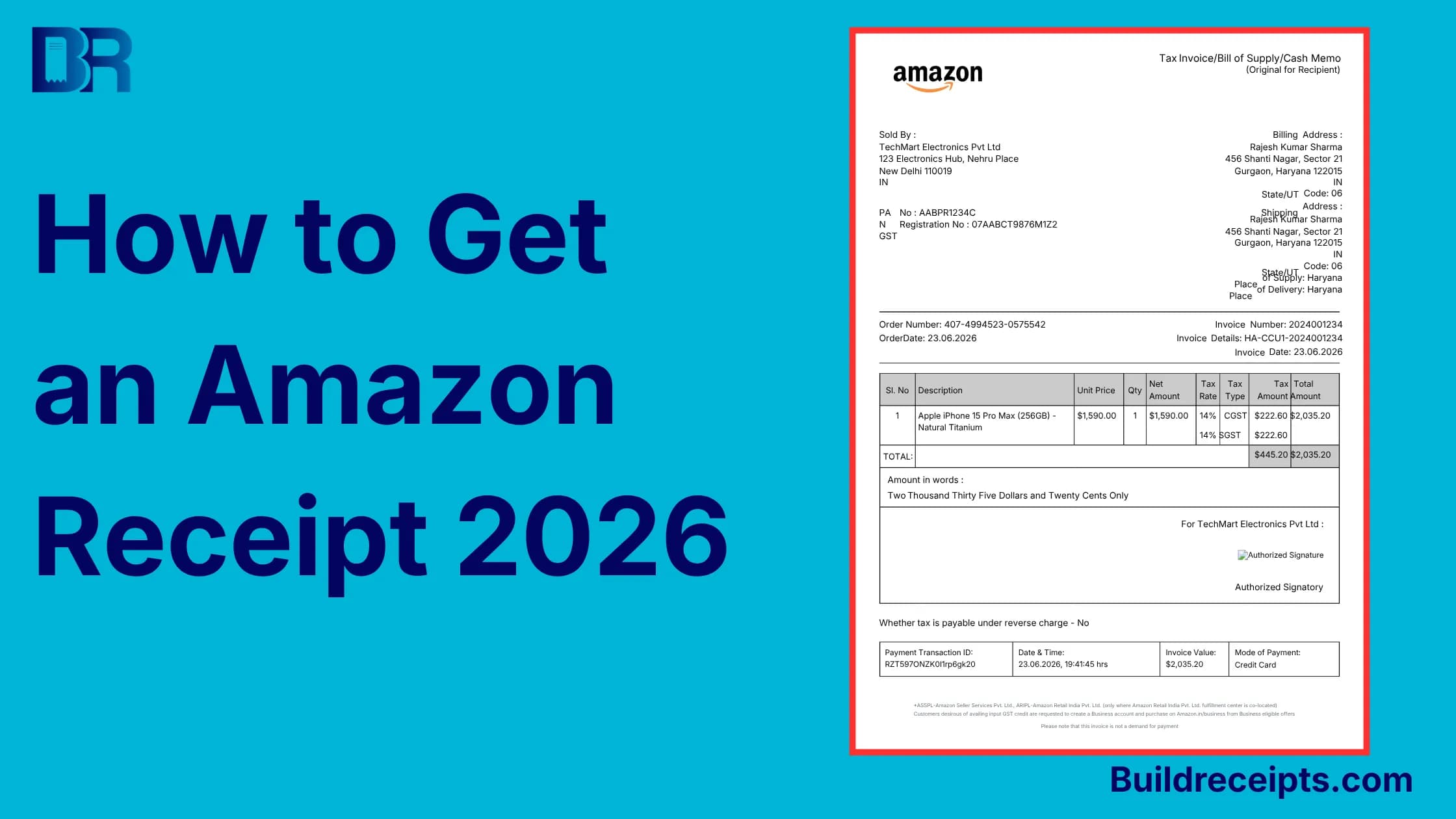
Amazon may not always use the word "receipt." You may see Invoice, Order Details, or Printable Order Summary. These can all help you prove what you bought.
This guide shows how to find, print, save, or recover an Amazon receipt. It also explains when BuildReceipts can help you make a backup record from real order details.
How to get an Amazon Receipt Fast?
To get an Amazon receipt, sign in to Amazon, open Returns & Orders or Your Orders, find the order, then open Invoice, Order Details, or Printable Order Summary. To print it, use your browser print option. To keep a digital receipt, choose Save as PDF.
Where the Amazon Receipt lives?
Your Amazon receipt lives in your order history. Think of order history as the main lookup tool for old Amazon purchases.
The email Amazon sends after purchase is helpful, but it is not always the full receipt. It can help you find the order number, but the invoice or order details page is usually better for work, warranty, tax, or return records.
Use the full receipt when you need proof of item, date, seller, tax, total, and payment method.
How to get an Amazon Receipt on a desktop?
Desktop is the easiest method.
Step 1: Sign in
Go to Amazon and sign in to the account that placed the order. If you use Amazon Business too, check the right account.
Step 2: Open Returns & Orders
Click Returns & Orders near the top of the page.
This opens your order history. Use search if the order is old.
Step 3: Find the order
Search by item name, seller, order number, or date. If one order shipped in parts, Amazon may show more than one invoice.
Step 4: Open the receipt
Look for Invoice, View Invoice, Order Details, or Printable Order Summary. Open the page that matches your item.
Step 5: Print or save
Press Ctrl + P on Windows or Command + P on Mac.
Choose a printer for paper, or Save as PDF for a digital copy.
How to get an Amazon Receipt from the App?
The Amazon app can show your order, but printing may be limited.
Step 1: Open the app
Open the Amazon app and make sure you are signed in to the right account.
Step 2: Go to Your Orders
Tap the account icon or menu icon. Then tap Your Orders.
Step 3: Open the order
Find the item and open the order details.
Look for Invoice, View Invoice, Download Invoice, or Order Details. This is where invoice download may appear.
Step 4: Save or share
If the app gives a download or share option, use it.
If it does not, open Amazon in your phone browser. This helps when the receipt from app view is limited.
How to save an Amazon receipt as PDF?
Saving as PDF is usually better than printing. A digital receipt is easier to email, upload, and find later.
Step 1: Open the invoice or order details
Start from Amazon order history and open the receipt page.
Step 2: Open print
On desktop, press Ctrl + P or Command + P. On phone, use the browser share or print menu.
Step 3: Choose Save as PDF
Pick Save as PDF instead of a printer. Name it clearly, like amazon-keyboard-2026-06-21.pdf.
Amazon Receipt vs Invoice vs Order Confirmation
An Amazon receipt and invoice are often used the same way. The invoice is usually the stronger document because it shows more order details.
| Document | Best for |
| Invoice or Amazon receipt | Work, tax, warranty, or proof of purchase |
| Order confirmation email | Finding the order number |
| Printable order summary | Personal records |
| Amazon gift receipt | Gift return without showing price |
| Packing slip | Delivery check, not full proof |
If someone asks for proof, send the page that shows order number, item, seller, date, amount, tax, and payment method.
How to get an Amazon gift Receipt?
Use an Amazon gift receipt when someone needs to return a gift without seeing the price.
Step 1: Open Your Orders
Sign in to Amazon and open Your Orders.
Step 2: Find the gift order
Choose the item that was bought as a gift.
Step 3: Look for gift receipt
Open the order details and look for a gift receipt or share gift receipt option.
If you do not see it, the order may not be eligible.
Step 4: Share or print
Use the share, print, or download option if Amazon shows one.
For business or tax records, use the normal invoice.
What to do if your Amazon receipt is missing
A lost receipt is usually not gone. It may be under another account, order type, or label.
Step 1: Check other accounts
Check your personal account, Amazon Business account, and any family account.
Step 2: Search order history
Search by item name, seller, order number, or year.
Step 3: Check digital orders
For Kindle books, apps, subscriptions, and memberships, check digital orders.
Step 4: Try other labels
If Invoice is missing, open Order Details or Printable Order Summary.
Step 5: Contact seller or Amazon
If the invoice is still missing, use the seller or Amazon support option.
For tax or business records, the IRS says good records help support items on a tax return. See IRS.gov.
How BuildReceipts helps with Amazon records
BuildReceipts should not replace the original Amazon receipt. Use the real Amazon record first.
After that, the Amazon receipt tool can help you make a clean backup from real details. Useful for work payback or an itemized copy.
Step 1: Get the real Amazon receipt
Download the invoice or order details from Amazon.
Step 2: Open BuildReceipts

Open that tool. For more line items, use the itemized receipt generator.
Step 3: Add real details only

Copy the real item, date, seller, tax, total, and payment details.
Step 4: Add a clear note
Write something like "Amazon order backup record" or "Duplicate copy for internal record."
Step 5: Save both files

Keep the BuildReceipts copy with the original Amazon PDF. The AI receipt tool can help you structure details faster.
Final recommendation
If you need one Amazon receipt, go to order history, open the invoice or order details, and save it as a PDF.
If the app does not show the receipt, use a phone browser or desktop. If the invoice is missing, check other accounts, digital orders, and seller details.
After you find the real Amazon receipt, BuildReceipts can help you make a cleaner backup record. Keep the original Amazon PDF with it so your record stays honest and easy to check.
Frequently Asked Questions
Have more questions about How to get Amazon Receipt: Print, Save, or Recover it Now? Check out these common queries.